Quickstart
Create an API key, send one request and read the verdict. It works on the Free plan, in a project where nothing is configured yet.
One request screens a piece of text and returns a verdict, a score for every policy and a recommendation: allow, review or reject. A new project needs no setup for that: a request that names no template runs the built-in basic check, which every plan includes.
You need a terminal with curl, or Node.js 18 or later, or Python with requests.
Create an account
Sign up with your name, a work email and a password, tick the two boxes that say you agree to the Terms of Service and have read the Privacy Policy, then enter the 6-digit code Infrared emails you. No card is asked for.
You land on the Overview of a project called "Default", inside an organisation named after the one you typed (or after you, when you left that field empty). The project already holds the basic check and nothing else.
Create an API key
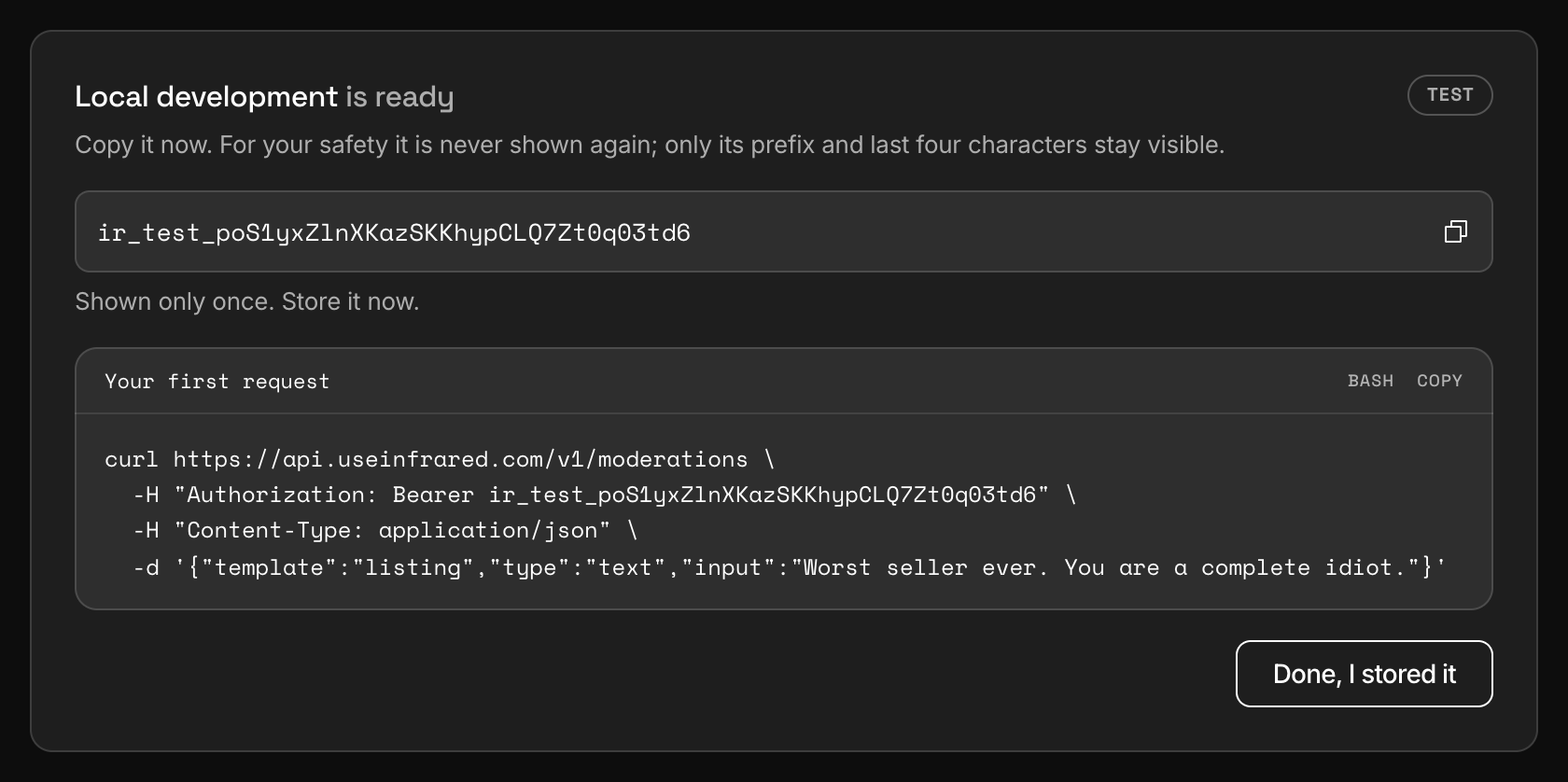
Open Settings, API keys and choose Create key. Give it a name, pick Test as the environment and leave the three scopes ticked.
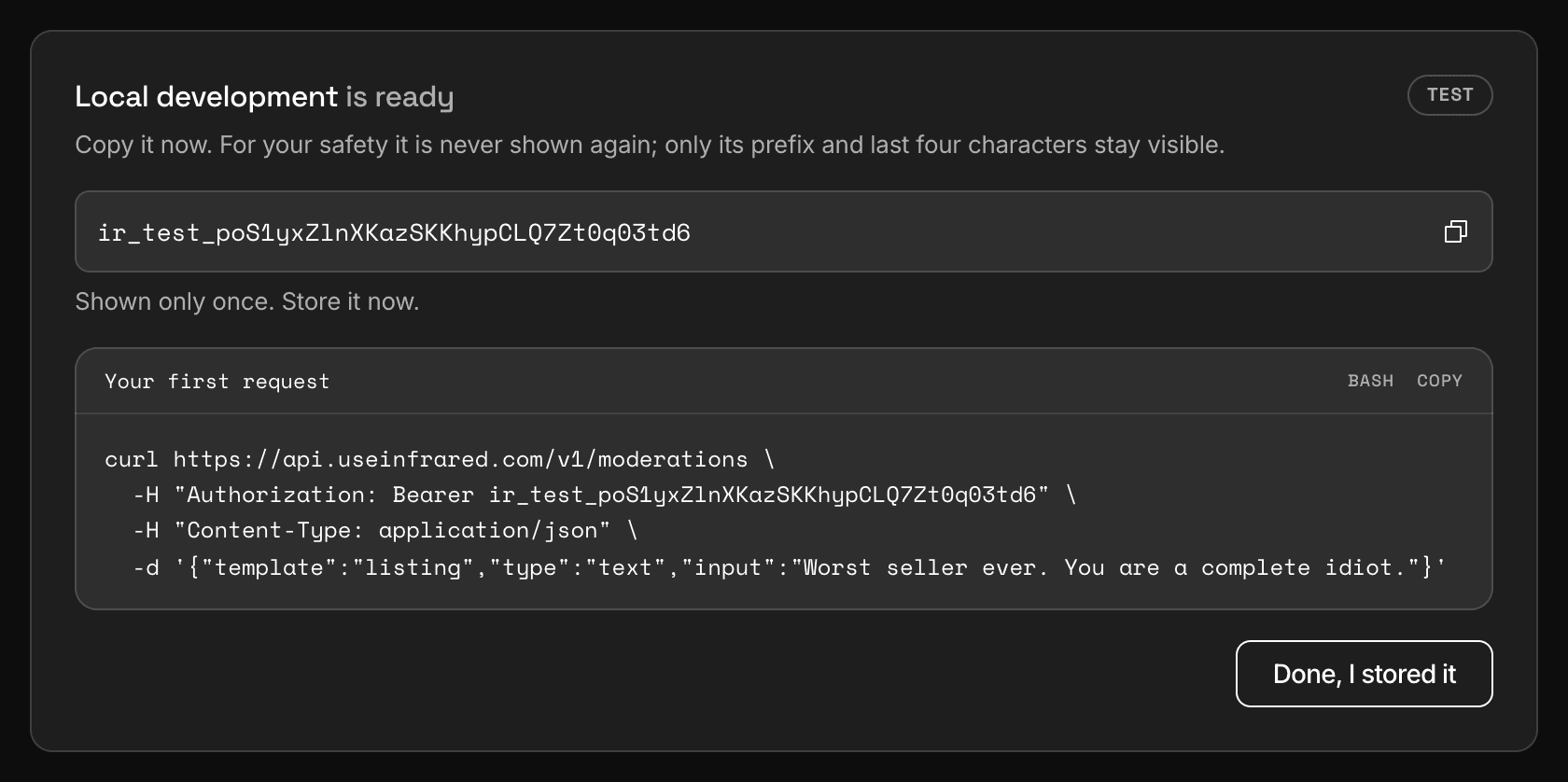
Dashboard, Settings, API keysThe key is shown once, with a first request already filled in. In a project that has templates, the sample names one of them. Copy the key and keep it in an environment variable. Infrared stores only a hash of it, so it cannot be shown again.
TerminalShellexport INFRARED_KEY="ir_test_..."Send a request
Post the text to
/v1/moderations.typeistextwhen you leave it out; it is spelled out here because the next thing you send will be an image.curl https://api.useinfrared.com/v1/moderations \ -H "Authorization: Bearer $INFRARED_KEY" \ -H "Content-Type: application/json" \ -d '{ "type": "text", "input": "Worst seller ever. You are a complete idiot." }'const response = await fetch("https://api.useinfrared.com/v1/moderations", { method: "POST", headers: { Authorization: `Bearer ${process.env.INFRARED_KEY}`, "Content-Type": "application/json", }, body: JSON.stringify({ type: "text", input: "Worst seller ever. You are a complete idiot.", }), }); const moderation = await response.json();import os import requests response = requests.post( "https://api.useinfrared.com/v1/moderations", headers={"Authorization": f"Bearer {os.environ['INFRARED_KEY']}"}, json={ "type": "text", "input": "Worst seller ever. You are a complete idiot.", }, ) moderation = response.json()Read the response
Text is screened while the request waits, so the answer is the finished moderation.
200 OK, trimmedJSON{ "object": "moderation", "id": "mod_41RdNecZ5qkb9qsBisl5Pf", "template": { "slug": "basic", "version": 1 }, "type": "text", "status": "completed", "flagged": true, "recommendation": "reject", "severity": "critical", "policies": { "toxicity": 0.98, "hate_speech": 0, "profanity": 0, "violence": 0, "self_harm": 0, "sexual": 0, "illicit": 0, "spam": 0 }, "triggered": ["toxicity"], "rule": null, "reasons": ["trigger:toxicity:flag", "triage:reject"], "details": { "toxicity": { "matches": [ { "label": "span", "value": "Worst seller ever.", "reason": "This is a strong insult directed at a seller." }, { "label": "span", "value": "You are a complete idiot.", "reason": "This is a direct insult to a person." } ] } }, "author": null, "language": "en", "usage": { "checks": 0, "cached": false }, "dry_run": false, "test": true, "content_id": null, "context_id": null, "metadata": null, "created_at": "2026-10-08T09:11:47.109Z", "completed_at": "2026-10-08T09:11:49.925Z" }The scores come from a model, so the numbers in your run can differ slightly. The verdict and the recommendation follow from the thresholds, not from the exact number.
Worst seller ever. You are a complete idiot.FlaggedTriggeredtextrecommendationReject
The same result as the dashboard draws it: the verdict, and what to do with the content. Four fields carry the answer. The rest is described in The moderation object.
flaggedbooleantruewhen a policy set to flag has triggered. This is the SAFE or FLAGGED verdict.recommendationstringWhat to do with the content. Your code branches on this.
One of
allowreviewrejectpoliciesmapA score from 0 to 1 for every policy that ran, keyed by policy. Here
toxicitycrossed its threshold of 0.70.detailsmapWhat each policy matched, where there is something to quote: the words, a label and a reason.
Act on the recommendation
The recommendation is advice your backend carries out: Infrared never publishes or removes anything in your product.
switch (moderation.recommendation) {
  case "allow":
    await publish(listing);
    break;
  case "review":
    // Hold it. The item is now in the review queue of the dashboard.
    await holdForReview(listing, moderation.id);
    break;
  case "reject":
    await reject(listing, moderation.triggered);
    break;
}
recommendation = moderation["recommendation"] if recommendation == "allow": publish(listing) elif recommendation == "review": # Hold it. The item is now in the review queue of the dashboard. hold_for_review(listing, moderation["id"]) else: reject(listing, moderation["triggered"])See it in the dashboard
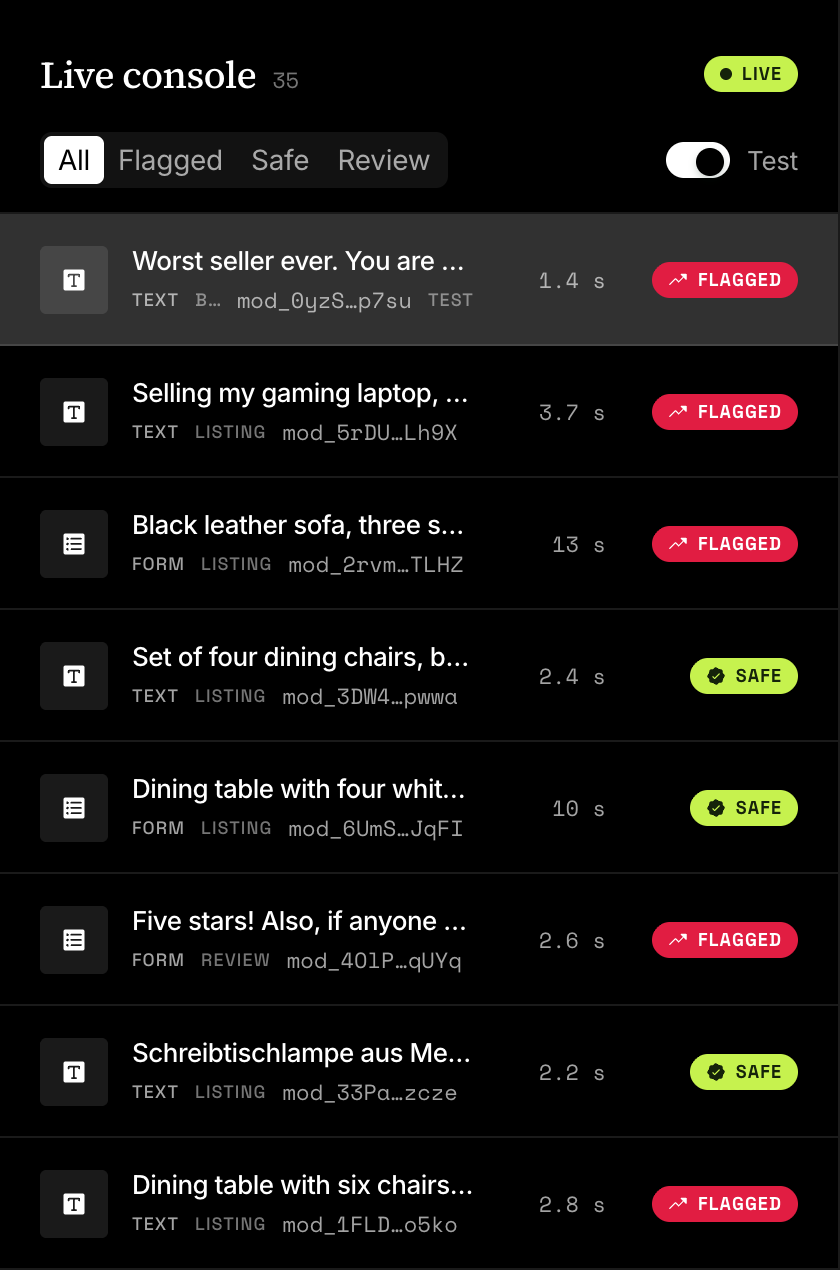
Open the Live console. The moderation is at the top of the list. Open it to see its verdict card, the score of each policy, what matched and the JSON your code received.
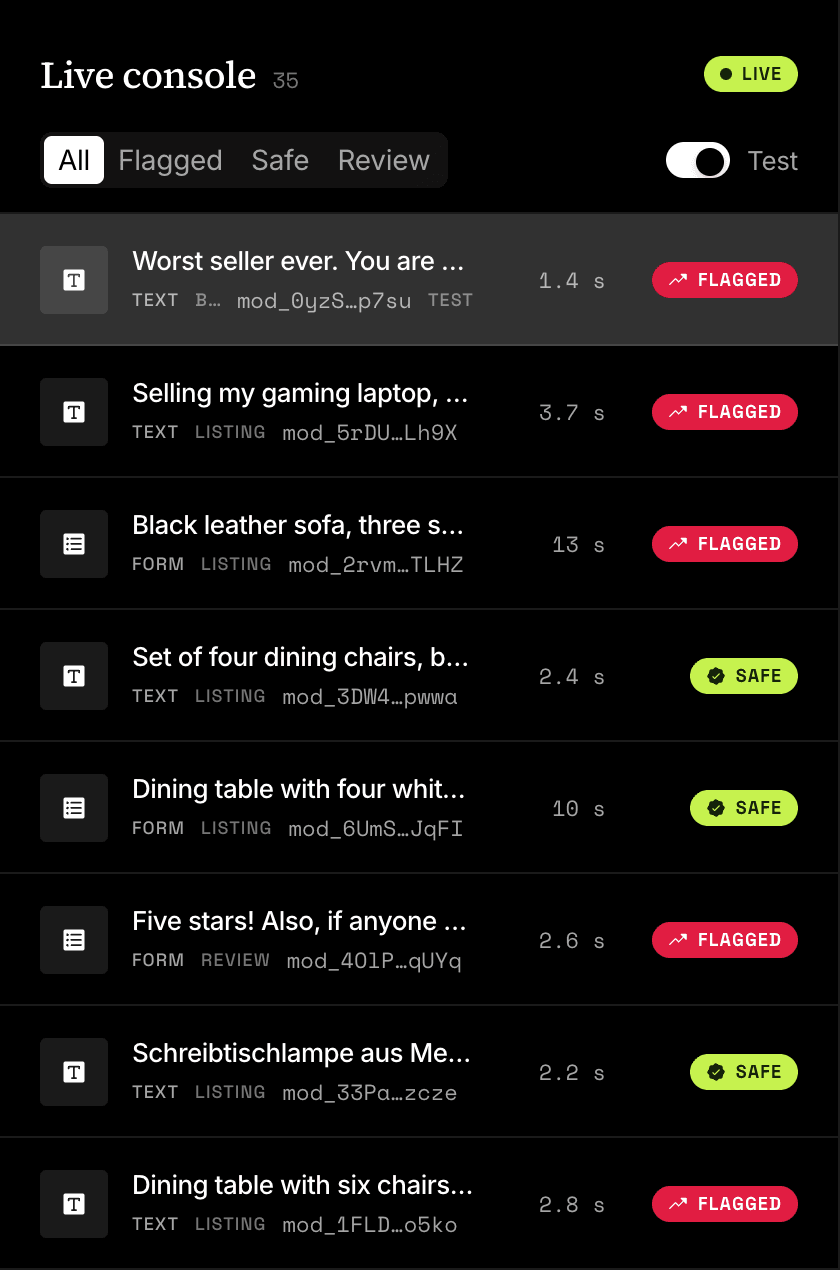
Dashboard, Live consoleEvery moderation as it happens, newest first.
What ran
The request named no template, so the project's basic check screened it: eight policies (toxicity, hate_speech, profanity, violence, self_harm, sexual, illicit and spam) and no rules of your own. With no content rule to decide, severity triage turned the highest score into the recommendation: allow below 0.40, review from 0.40, reject from 0.80.
reasons records that path. trigger:toxicity:flag says which policy flagged the text, triage:reject says triage decided.
What a marketplace listing, a review or a chat message should contain, and what is a violation there, is yours to say. That is what a template is for, on Starter and up.
Next
- How Infrared worksOne request goes through admission, validation, screening and a decision. What each stage does, what uses a check and what happens after the answer.
- Moderate imagesSend an image by URL. Infrared fetches it, screens the picture and reads the text inside it. The result arrives by webhook or by polling.
- TemplatesA template is the configuration for one kind of content. It holds the fields, the policies and the rules, and requests name it by its slug.
- WebhooksInfrared posts a signed event to your endpoint when a moderation finishes, a queue item is decided or an author changes. Add an endpoint and receive it.
Something missing or unclear on this page? Write to support@useinfrared.com.