Live console
Every moderation of a project as it arrives, with its verdict, scores, evidence and media. Open one to see what your integration received and why.
The live console lists every moderation of the current project, newest first, and adds each new one as it arrives. It is the first place to look while you integrate, and the place to come back to when a decision surprises you: open a row and you see what your code received and why.
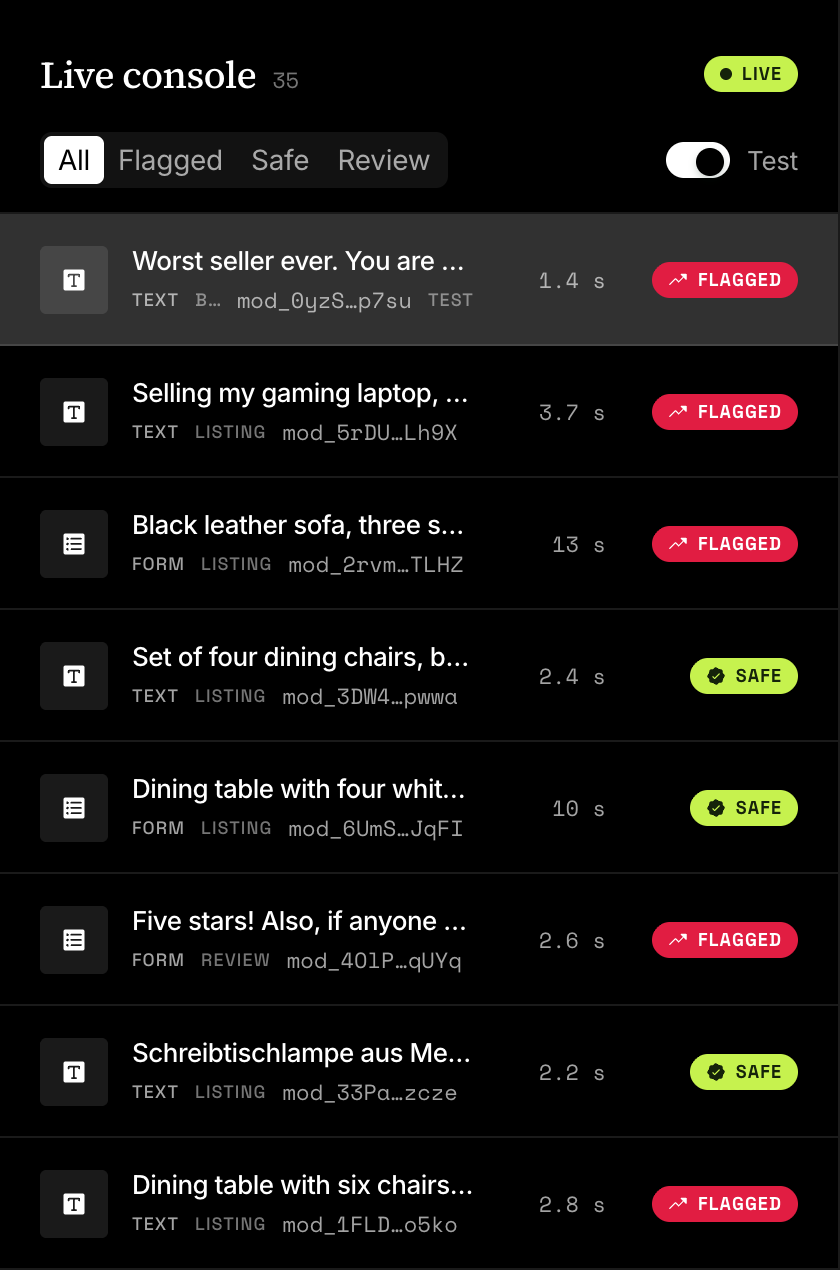
The console is a screen of the dashboard, not part of the API. Your backend reads the same moderations with a list request, or hears about each result through the moderation.completed webhook event.
curl "https://api.useinfrared.com/v1/moderations?recommendation=review&limit=2" \
  -H "Authorization: Bearer $INFRARED_KEY"
const response = await fetch("https://api.useinfrared.com/v1/moderations?recommendation=review&limit=2", {
headers: { Authorization: `Bearer ${process.env.INFRARED_KEY}` },
});
const page = await response.json();import os
import requests
response = requests.get(
"https://api.useinfrared.com/v1/moderations",
headers={"Authorization": f"Bearer {os.environ['INFRARED_KEY']}"},
params={
"recommendation": "review",
"limit": 2,
},
)
page = response.json(){
"object": "list",
"data": [
{
"object": "moderation",
"id": "mod_2wCRB1Sodc8XV83zmnJ6x6",
"template": { "slug": "listing", "version": 1 },
"type": "text",
"status": "completed",
"flagged": true,
"recommendation": "review",
"severity": "critical",
"triggered": ["links_contact", "guideline/no-off-site-deals"],
"test": true,
"content_id": null,
"created_at": "2026-10-08T08:48:12.475Z"
},
{
"object": "moderation",
"id": "mod_6IYSa2qBKpMi4Xnxm1jkOB",
"template": { "slug": "listing", "version": 1 },
"type": "text",
"status": "completed",
"flagged": true,
"recommendation": "review",
"severity": "critical",
"triggered": ["guideline/no-off-site-deals", "instructions"],
"test": true,
"content_id": "listing_20932",
"created_at": "2026-10-08T08:48:09.323Z"
}
],
"has_more": true,
"next_cursor": "WyIyMDI2LTEwLTA4VDA4OjQ4OjA5LjMyM1oiLCJjZWY5OGIxOS0yNWIzLTQ3MzktYjM3Mi1jMjgwMTlkYTZmN2IiXQ"
}The list takes your own ids, the template, the recommendation and a date range as filters. Find moderations later has them all.
What a row shows
One row is one request. A whole form is one row of type Form, and its fields appear when you open it.
| Part | What it shows |
|---|---|
| Type | Text, Image or Form. |
| Title | The first 140 characters of the text. When the content is not stored, the content_id you sent. |
| Template | The slug of the template that ran, basic for the built-in check. |
| Id | The moderation id, shortened. |
| Marks | test for a request made with a test key, dry run for a dry run. |
| Time | How long the pipeline took. |
| Verdict | Screening while a run is in progress, then SAFE or FLAGGED. A run that failed reads failed, a submission that did not pass validation reads invalid. |
A request that runs in the background, such as an image or anything sent with mode: "async", appears at once as Screening and turns into its result in the same row when the run ends. Sync and async says which requests those are.
Filter the list
Four filters sit above the list: All, Flagged, Safe and Review. The Test switch beside them shows or hides requests made with a test key, and starts on.
The filters narrow the rows already loaded. The console opens with the latest 50 moderations and Load older adds 50 more, so a filter that shows few rows may only need older ones loaded. To search by author, template or date, use the list request.
Open a moderation
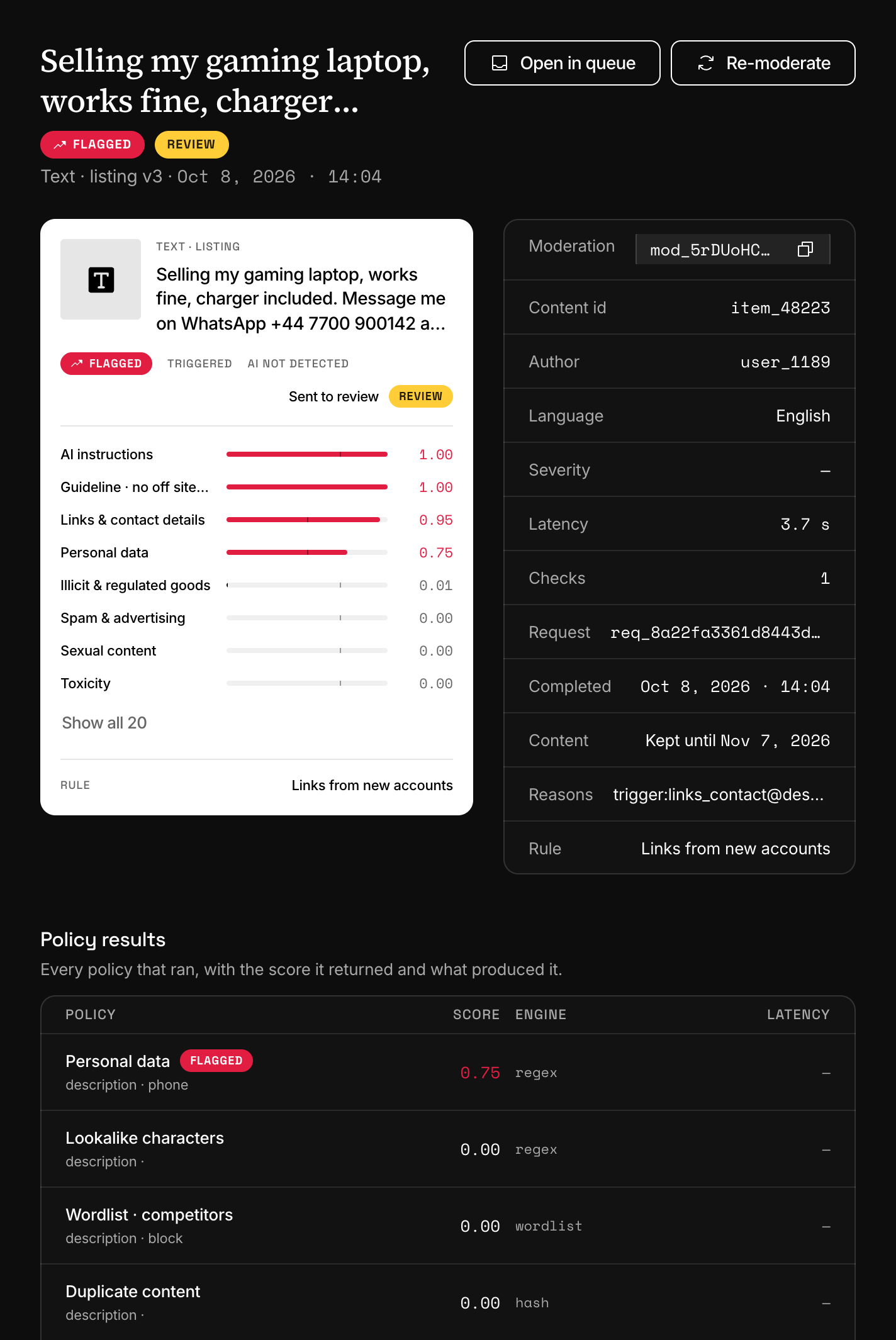
Select a row to open it beside the list. From top to bottom:
- Header. The verdict and the recommendation as badges, Dry run and Test where they apply, the template with its version, and two buttons: Open in queue when the moderation was sent to the review queue, and Re-moderate.
- Verdict card. SAFE or FLAGGED, the recommendation in the dashboard's words (Published for allow, Sent to review for review, Rejected for reject), a bar for every policy score, and the content rule that decided, when one did. The tick on a bar is the policy's default threshold, not one your template sets:
triggeredin the response says what fired. - Fields. For a form, one card for each content field.
- Facts. The moderation id, your content id, the author, the language, the checks it used, the request id, and whether the content is kept and until when. The Severity row prints a dash today: read
severityin the response. - Media. The images, blurred. The next section says how to see an original.
- Policy results. Every policy that ran, with its score, the engine behind it and what it matched.
- Response. The JSON body your integration received, described in The moderation object.
- Decision input. What the decision used: the scores, the triggers, the rules, and the author's status and trust level at that moment.
Blurred media and the original
When a project stores content, every image is kept with a blurred copy, and the console shows the blurred copy only, whatever the image scored. A reviewer chooses whether to look.
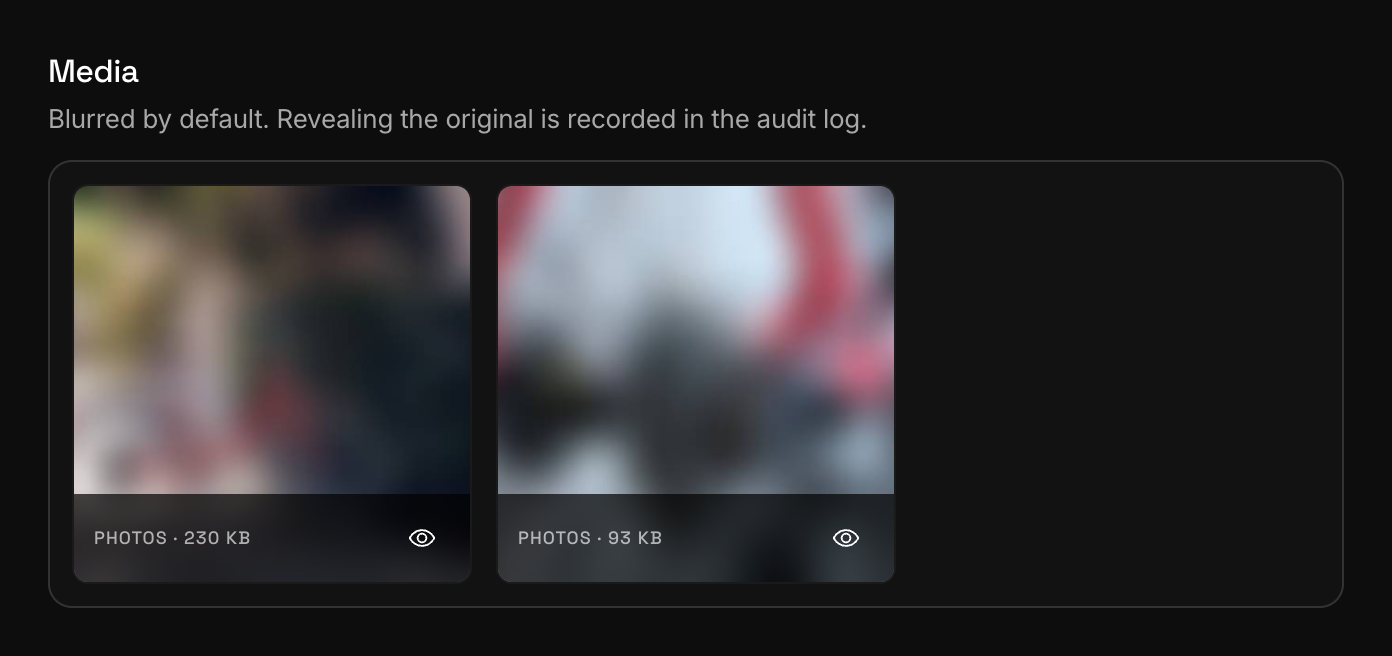
To see an original, select the eye on its tile, Show the original for two minutes. The original replaces the blurred copy for two minutes, then the tile goes back. Every reveal is written to the audit log as media.reveal_original, with the member and the time. Any member of the project can reveal.
The API has no endpoint for media.
When content is not stored
Content is not stored on a plan without retention, when the project or the template turns storing off, or when a request sends store: false. Stored content is removed when its retention period ends. Data retention has the rules.
The moderation always stays: its scores, verdict, recommendation, reasons and the rule that decided. What changes is what the console can show.
| Where | What you see |
|---|---|
| Row | Your content_id. Without one, "Form submission" for a form and "Input not stored" for anything else. |
| Title of the open moderation | "Form submission" or "Input not stored". |
| Content fact | Kept until and a date, Removed and a date, or Not stored. |
| Media | One line: how many files were screened, their size, and that they were not stored. |
| Re-moderate | Disabled. |
Send a content_id with every request. Without stored content it is the only thing that tells two rows apart. An image request that carries several URLs reads "Input not stored" too, even when its images are stored.
Run a moderation again
Re-moderate runs the stored content of a moderation again, against the version of its template that is published now. Use it after you publish a change, to see what the new version makes of content you already have.
The result is a new moderation with its own id, and the first one stays as it was, queue item included. The new one is an ordinary moderation: started from the dashboard it always uses checks, it counts in the author's history again, and it can enter the review queue.
Re-moderating needs the Developer role or one above it. Without stored content the button is disabled. The API call, what it carries over and what it cannot run are in Re-moderate stored content.
Next
- Review queueContent your rules send to review waits in the queue until a person, or your own code, allows it, rejects it or runs another action on it.
- The moderation objectThe verdict, the scores, the evidence in details and your own context. Every field of a moderation, and when each one is present.
- Data retention and privacyWhat Infrared keeps of a moderation, for how long, and what the nightly purge removes. Set it for a project, a template or a single request.
- Test modeA test key runs the whole pipeline and uses no checks. It is not a sandbox: its moderations still reach the review queue and your webhooks.
Something missing or unclear on this page? Write to support@useinfrared.com.