Moderate a whole form
Send every field of a listing, a profile or a post in one request. Each content field gets its own result and the parent carries the decision.
Most content is not one string. A listing has a title, a description, a price and photos; a profile has a name, a bio and an avatar. Send the whole object as fields and Infrared validates it, screens every field, judges the fields together and returns one decision for the object, with a result per field underneath.
The keys of fields are the field keys of a template. The sample uses a template named listing whose fields are title, description, price and photos.
curl https://api.useinfrared.com/v1/moderations \
  -H "Authorization: Bearer $INFRARED_KEY" \
  -H "Content-Type: application/json" \
  -d '{
    "template": "listing",
    "content_id": "listing_18342",
    "author_id": "user_42",
    "fields": {
      "title": "Vintage oak dining table, seats six",
      "description": "Solid oak, minor marks on one leg. Order direct at https://shop.example.com/oak or call +44 7700 900123",
      "price": 450
    }
  }'
const response = await fetch("https://api.useinfrared.com/v1/moderations", {
method: "POST",
headers: {
Authorization: `Bearer ${process.env.INFRARED_KEY}`,
"Content-Type": "application/json",
},
body: JSON.stringify({
template: "listing",
content_id: "listing_18342",
author_id: "user_42",
fields: {
title: "Vintage oak dining table, seats six",
description: "Solid oak, minor marks on one leg. Order direct at https://shop.example.com/oak or call +44 7700 900123",
price: 450,
},
}),
});
const moderation = await response.json();import os
import requests
response = requests.post(
"https://api.useinfrared.com/v1/moderations",
headers={"Authorization": f"Bearer {os.environ['INFRARED_KEY']}"},
json={
"template": "listing",
"content_id": "listing_18342",
"author_id": "user_42",
"fields": {
"title": "Vintage oak dining table, seats six",
"description": "Solid oak, minor marks on one leg. Order direct at https://shop.example.com/oak or call +44 7700 900123",
"price": 450,
},
},
)
moderation = response.json(){
"object": "moderation",
"id": "mod_4ZBJ6OMJ6QLRJil27dsBdz",
"template": { "slug": "listing", "version": 1 },
"type": "form",
"status": "completed",
"flagged": true,
"recommendation": "review",
"severity": "critical",
"policies": {
"personal_data": 0.75,
"links_contact": 0.9,
"instructions": 0.8,
"guideline/no-off-site-deals": 1 // sixteen more policies, all at 0, are trimmed
},
"triggered": ["personal_data", "guideline/no-off-site-deals", "instructions"],
"rule": { "id": "r6", "name": "Links from new accounts", "action": "review" },
"reasons": [
"trigger:personal_data:flag",
"trigger:guideline/no-off-site-deals:flag",
"trigger:instructions:flag",
"rule:r6"
],
"details": {
"guideline/no-off-site-deals": {
"labels": ["confidence:100"],
"matches": [{ "label": "evidence", "value": "Order direct at https://shop.example.com/oak or call +44 7700 900123", "field": "description" }],
"explanation": "The seller is explicitly asking buyers to complete the transaction off-platform by providing a website link and a phone number.",
"field": "description"
}
},
"content_id": "listing_18342",
"fields": {
"title": {
"object": "moderation",
"id": "mod_1561OwxNq5L3YLQRENysVZ",
"type": "text",
"field": "title",
"status": "completed",
"flagged": false,
"recommendation": "allow",
"reasons": ["triage:allow"],
"parent_id": "mod_4ZBJ6OMJ6QLRJil27dsBdz"
},
"description": {
"object": "moderation",
"id": "mod_5LmJRsYOu7TIzDZRQ3vYyv",
"type": "text",
"field": "description",
"status": "completed",
"flagged": true,
"recommendation": "reject",
"triggered": ["personal_data"],
"reasons": ["trigger:personal_data:flag", "triage:reject"],
"parent_id": "mod_4ZBJ6OMJ6QLRJil27dsBdz"
}
}
}fieldsOne object, whatever the number of fields.- titletext
- descriptiontext
- pricenumber
- Child
titleSafeAllow
All scores 0triage:allow - Child
descriptionFlaggedReject
personal_
data0.75links_ contact0.90 triage:rejectNo content rules on a child priceValidated only, no child
instructions0.80guideline/no-off-site-deals1.00
The guideline namesdescriptiontype: "form"The highest score per policyFlaggedReviewrule:r6Links from new accounts
personal_data0.75links_contact0.90instructions0.80guideline/no-off-site-deals1.001 check
Sample data
What each field becomes
- Text and image fields are content. Each one that has a value becomes a child moderation with its own scores.
- Number, boolean, enum, URL and JSON fields are validated only. They get no child. Your content rules can test their values and the AI instructions read them.
pricein the sample is one. - A field with no value is skipped. A missing key,
null, an empty string and an empty list all count as no value. When the field is required, that is a validation error. - A key the template does not have makes the whole form invalid.
A form whose values are all empty, on a template with no required field, passes validation, screens nothing and still uses one check. Fields and validation lists what each field type accepts.
The parent
The object you get back is the parent. Its type is form, and it answers for the whole submission:
policiesholds, for every policy, the highest score any field reached, plus the policies that judge the form as a whole.flagged,recommendation,severity,ruleandreasonsare one decision. The template's triggers read the combined scores, each field's triggers read that field's own score, then your content rules run, then triage.detailson the parent holds the results of the whole-form judgement only. What matched inside a field is in that field's child.
The children
fields holds one moderation per content field, keyed by field key. Each child has its own id, its field, its parent_id, and its own policies, details and language. A child reports usage.checks as 0, because the parent carries the cost.
A child decides without your content rules: only triggers and severity triage apply to it, so its recommendation can differ from the parent's. In the sample the parent says review, because a rule sends links from new accounts to review. The description child says reject, because triage alone judged its score. Act on the parent, and use the children to show the author which field to fix.
Fields judged together
When the template has AI instructions or enabled guidelines, one more call reads every field at once: the texts, the numbers, and the text read from the images. This is where "the price is implausible for what the description says" is caught, which no single field could show.
Its results come back as policies of their own, instructions and guideline/<slug>, on the parent. Each finding carries an explanation and, when one field is responsible, that field's key. In the sample, the guideline no-off-site-deals scored 1 and named description.
Forms with images
A form that holds an image value is queued like any image: the request answers 202, and the parent and every child come back with status: "screening". The finished form arrives by webhook or by polling, as described in Sync and async. A form of text and numbers answers in the same response.
The cost is one check for the form, whatever the number of text fields, and one more per image.
Forms on the basic check
A request without template, in a project with no default template, runs the basic check. Its form has two optional fields, text and image.
curl https://api.useinfrared.com/v1/moderations \
  -H "Authorization: Bearer $INFRARED_KEY" \
  -H "Content-Type: application/json" \
  -d '{
    "fields": {
      "text": "Lovely table, arrived on time.",
      "image": ["https://cdn.example.com/uploads/table-1.jpg"]
    }
  }'
const response = await fetch("https://api.useinfrared.com/v1/moderations", {
method: "POST",
headers: {
Authorization: `Bearer ${process.env.INFRARED_KEY}`,
"Content-Type": "application/json",
},
body: JSON.stringify({
fields: {
text: "Lovely table, arrived on time.",
image: ["https://cdn.example.com/uploads/table-1.jpg"],
},
}),
});
const moderation = await response.json();import os
import requests
response = requests.post(
"https://api.useinfrared.com/v1/moderations",
headers={"Authorization": f"Bearer {os.environ['INFRARED_KEY']}"},
json={
"fields": {
"text": "Lovely table, arrived on time.",
"image": ["https://cdn.example.com/uploads/table-1.jpg"],
},
},
)
moderation = response.json()When the form is not valid
A form that fails validation answers 200 with status: "invalid" on the parent and on every child, and uses no check. The parent lists every error in validation_errors; each child lists the errors of its own field. Statuses and errors has the full shape and the list of codes.
Try a form in the dashboard
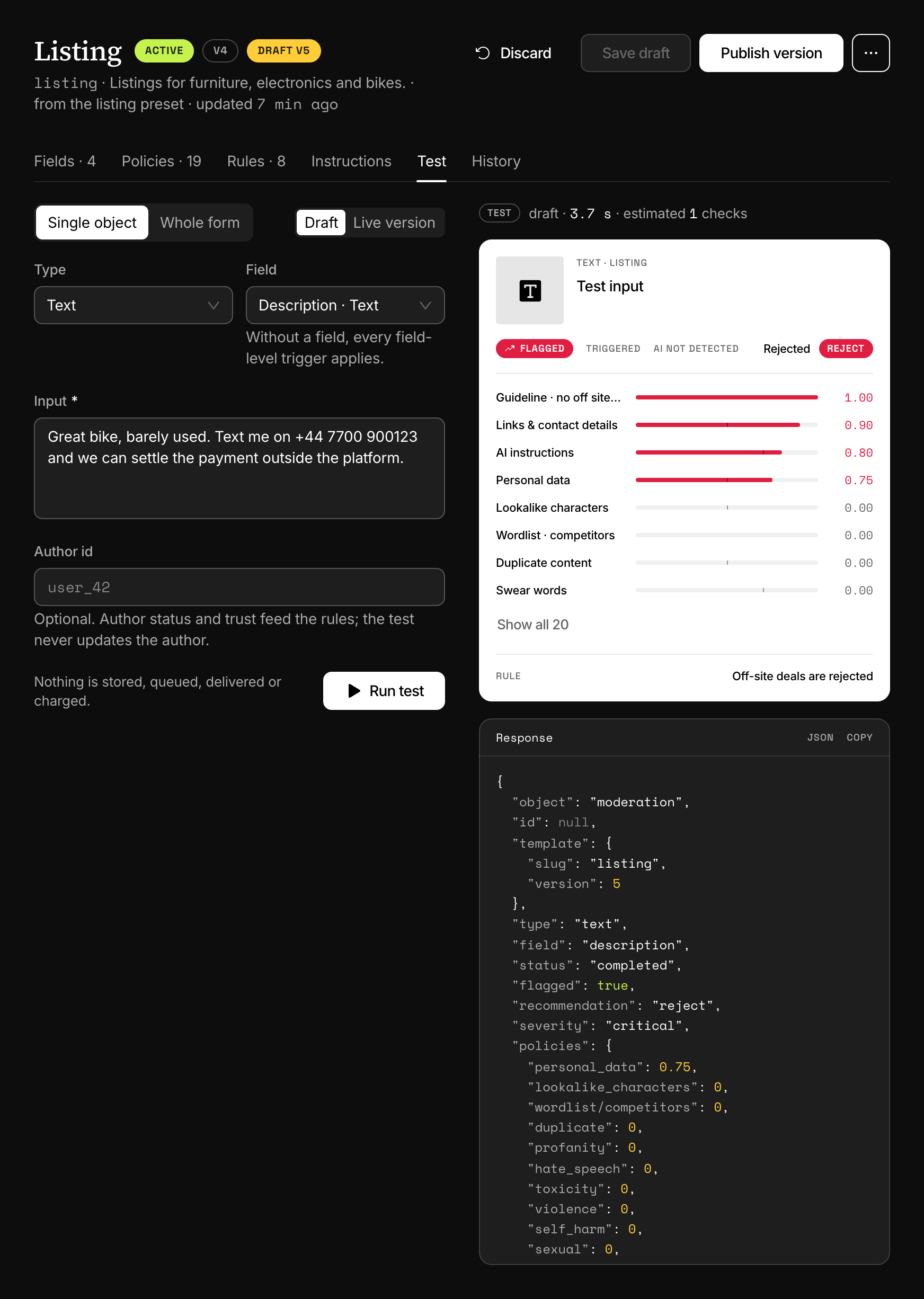
Open a template in Templates, choose the Test tab, switch to Whole form, fill in the fields and choose Run test. The test runs the whole pipeline and stores, queues, delivers and charges nothing.
The answer of a whole-form test is not shaped exactly like a real form's: details is merged across the fields, and the fields of an invalid form come back as screening. How the answer differs from a moderation lists every difference.
Next
- Fields and validationA template's fields say what a submission must contain. Validation runs first, costs nothing and answers with one error per problem, named by field.
- AI instructionsPlain-language instructions on a template, judged once per submission across all its fields. The result comes back as a policy called instructions.
- How a decision is madeTriggers set the verdict, severity ranks the content, your content rules decide first and triage decides the rest. reasons records the path taken.
- Batch checksSend up to 100 objects in one request. A small batch of text answers in the same response, anything else is queued, and one bad item never fails the rest.
Something missing or unclear on this page? Write to support@useinfrared.com.