Billing
Subscribe, change plan, buy extra checks and find your invoices on the Billing page of the dashboard. It is open to the organisation's Owners.
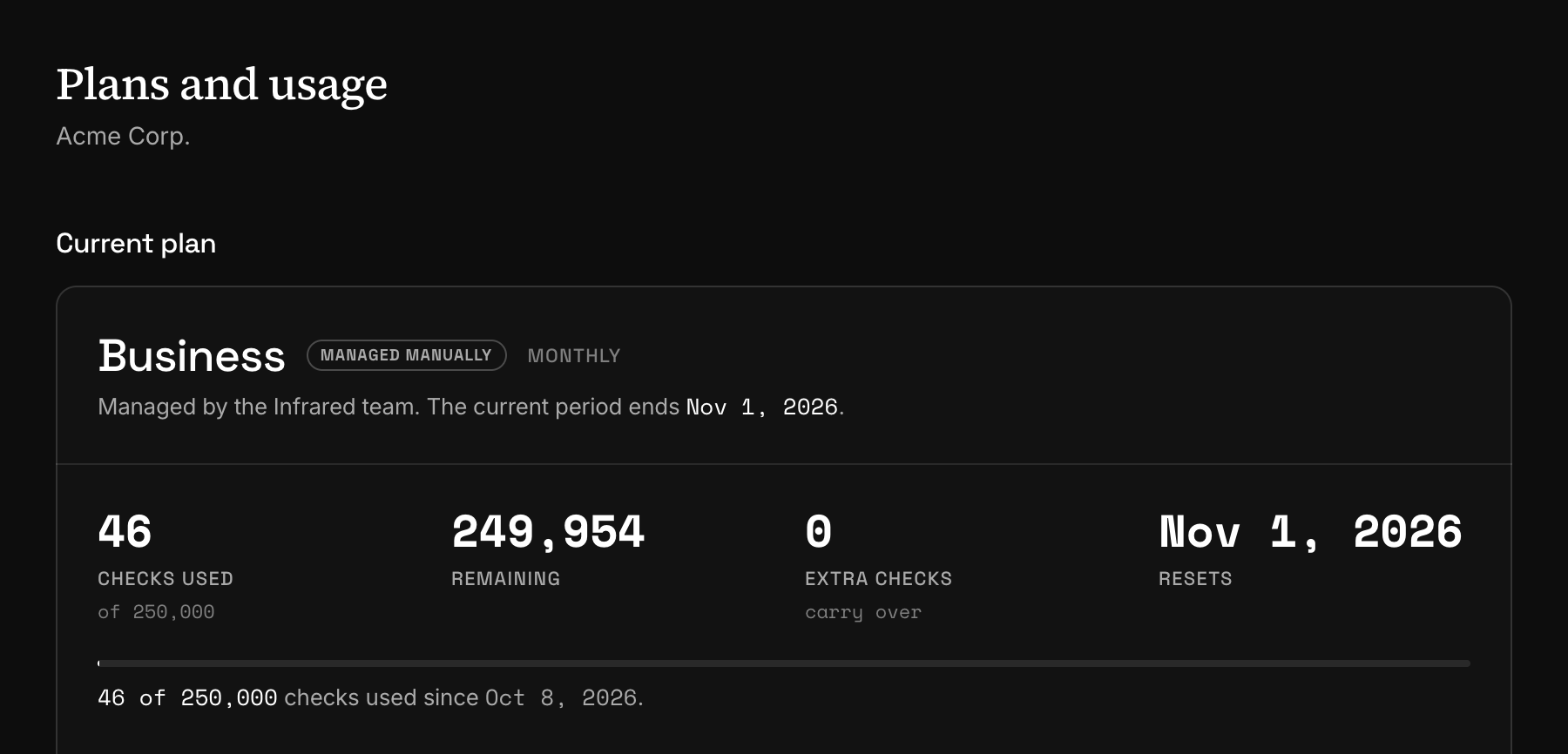
Billing belongs to the organisation: one subscription covers all its projects, and one pool of checks is shared between them. You manage it on Billing, a page whose own title reads "Plans and usage".
Only Owners can open it. Everyone else is told that billing is managed by owners.
Subscribe to a plan
Choose monthly or yearly
Under Plans, switch between Monthly and Yearly. A yearly plan is paid once a year and costs less than twelve monthly payments; the switch says how much less.
Pick the plan
Choose Upgrade to and the plan's name on its card. A drawer opens with the order: the plan, what is due today and what is charged at each renewal.
Pay
Enter the billing address and fill in the card form. Add promotion code takes a code if you have one. Then choose Subscribe.
The plan starts as soon as the payment goes through, and the organisation gets the new plan's monthly checks from that moment. A payment method that settles later starts the plan when it settles. From then on Current plan shows the date of the next renewal and its amount.
The Free plan needs no card, and every new account starts on it, whichever plan you picked on the pricing page. The checks of a yearly plan still reset every month.
Change plan
With a subscription running, the buttons on the plan cards read Change to and the plan's name, or Switch to yearly and Switch to monthly on your own plan. Choosing one opens a confirmation page that shows the prorated amount before you agree to it.
- A larger plan starts at once. You are invoiced for the difference, and the current month's checks rise to the new plan's allowance.
- A cheaper plan, or a move from yearly to monthly, starts at the end of the period you have paid for. Until then nothing changes, and the plan cannot be changed a second time.
Plans and limits lists what a smaller plan does to what you have already set up.
Cancel and resume
Cancel subscription ends the subscription at the end of the paid period. Until that date the plan stays as it is and the page marks it Ending. On that date the organisation moves to the Free plan.
Resume subscription undoes the cancellation at any time before the end date.
The confirmation spells out what the Free plan changes for an integration. From the end date, requests that name a template are refused and new content is no longer stored. Your templates, guidelines and wordlists are kept, and so are the extra checks you bought.
When a payment fails
When a renewal payment fails, the subscription becomes Past due. The plan stays for seven days while the payment is retried automatically. During that time the page shows the date and two buttons: Pay invoice and Update payment method.
If the invoice is still open after those seven days, the organisation moves to the Free plan at the next nightly check. Paying the open invoice later brings the paid plan back.
Buy extra checks
Under Extra checks, each pack shows its size, its price and what that comes to for each 1,000 checks. Buy opens the same drawer for a single payment, and each purchase gets its own receipt.
The checks are added when the payment is confirmed. Every plan can buy packs, the Free plan included. Checks and usage says when they are spent and when they expire.
Invoices and billing details
Billing history lists every invoice for the subscription, every plan change and every receipt for extra checks, each with a PDF. An invoice that is still due has a Pay button.
Manage billing, at the top of the page, opens the billing portal. That is where you change the payment method, the billing address and your tax ids. The button appears once the organisation has a billing account, which the first checkout creates. Update, on the payment method row, goes straight to the card.
Prices are in US dollars and exclude tax.
Plans set by the Infrared team
An organisation with its own terms can be put on a plan by the Infrared team, without a payment. The page then shows the plan with the badge Managed manually and the date the current period ends. There is no payment method row, and the plan buttons are disabled. Extra checks can still be bought.
Next
- Plans and limitsWhat each plan includes, what is counted per organisation and what per project, and what happens to your setup when the plan changes.
- Checks and usageA check is the unit every plan counts. See what one moderation costs, when the monthly allowance resets and how to read your usage over the API.
- Members and rolesInvite people to the whole organisation or to one project, and choose what each of them can do. Five roles, from Owner to Moderator.
Something missing or unclear on this page? Write to support@useinfrared.com.