API keys
A key signs every request and decides which project it lands in. Create one for each place that calls Infrared, with only the scopes it needs.
Every request to the API carries a key. The key proves who is calling and decides which project the request lands in, so no request names a project.
Create one key for each place that calls Infrared: your backend, your staging environment, your CI. Each gets its own scopes and its own expiry, and you can revoke one without touching the others.
Create a key
Open API keys
Open Settings, API keys in the project the key is for and choose Create key.
Name it and pick the environment
Choose the scopes and the expiry
All three scopes are ticked to begin with. Untick the ones this caller does not need. Under Expires, keep Never or let the key end in 30 days, 90 days or a year.
Copy the key
Choose Create key. The key appears once, with a first request already filled in.
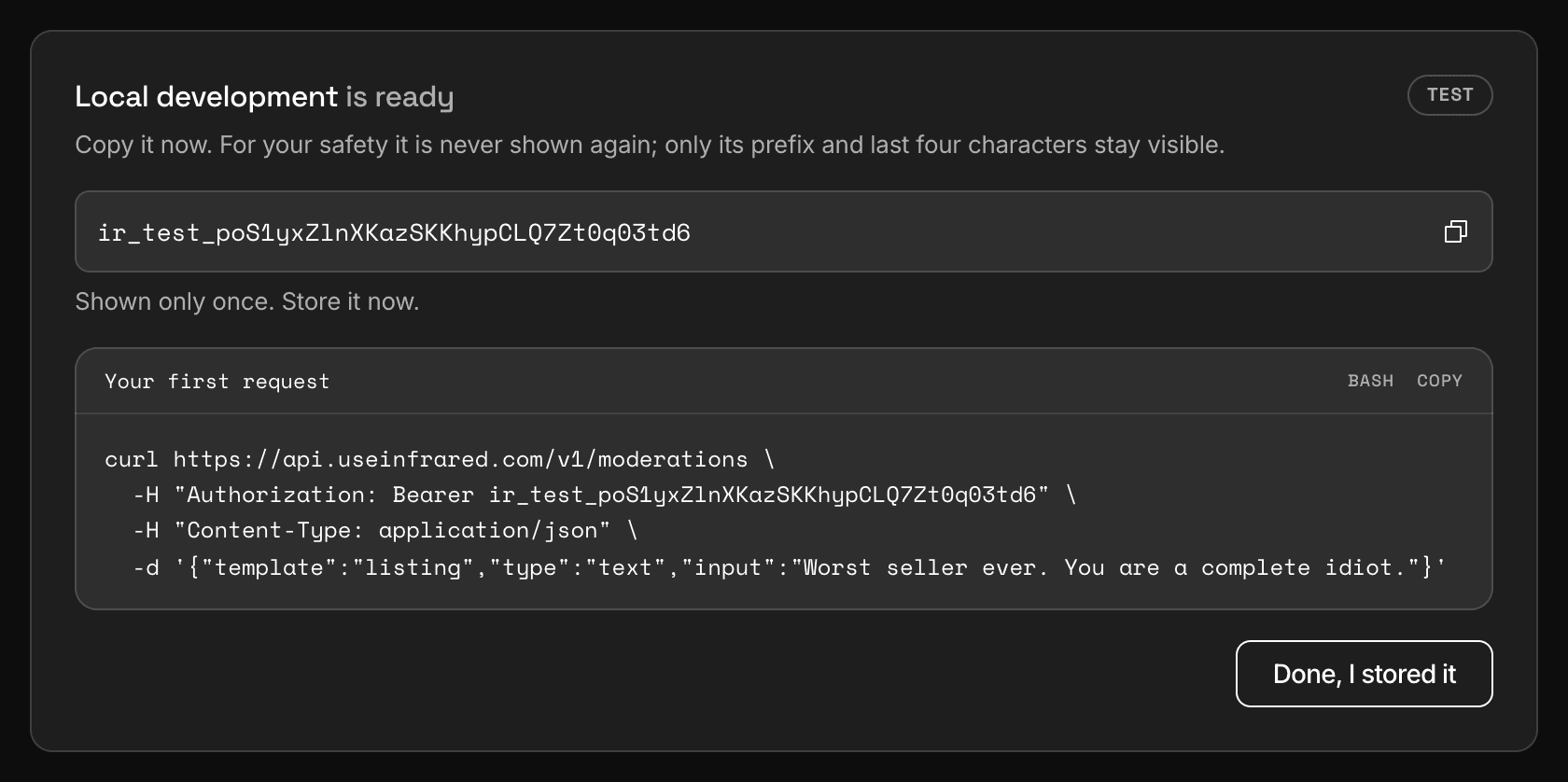
Dashboard, Settings, API keysA new key, shown once, with the request that uses it.
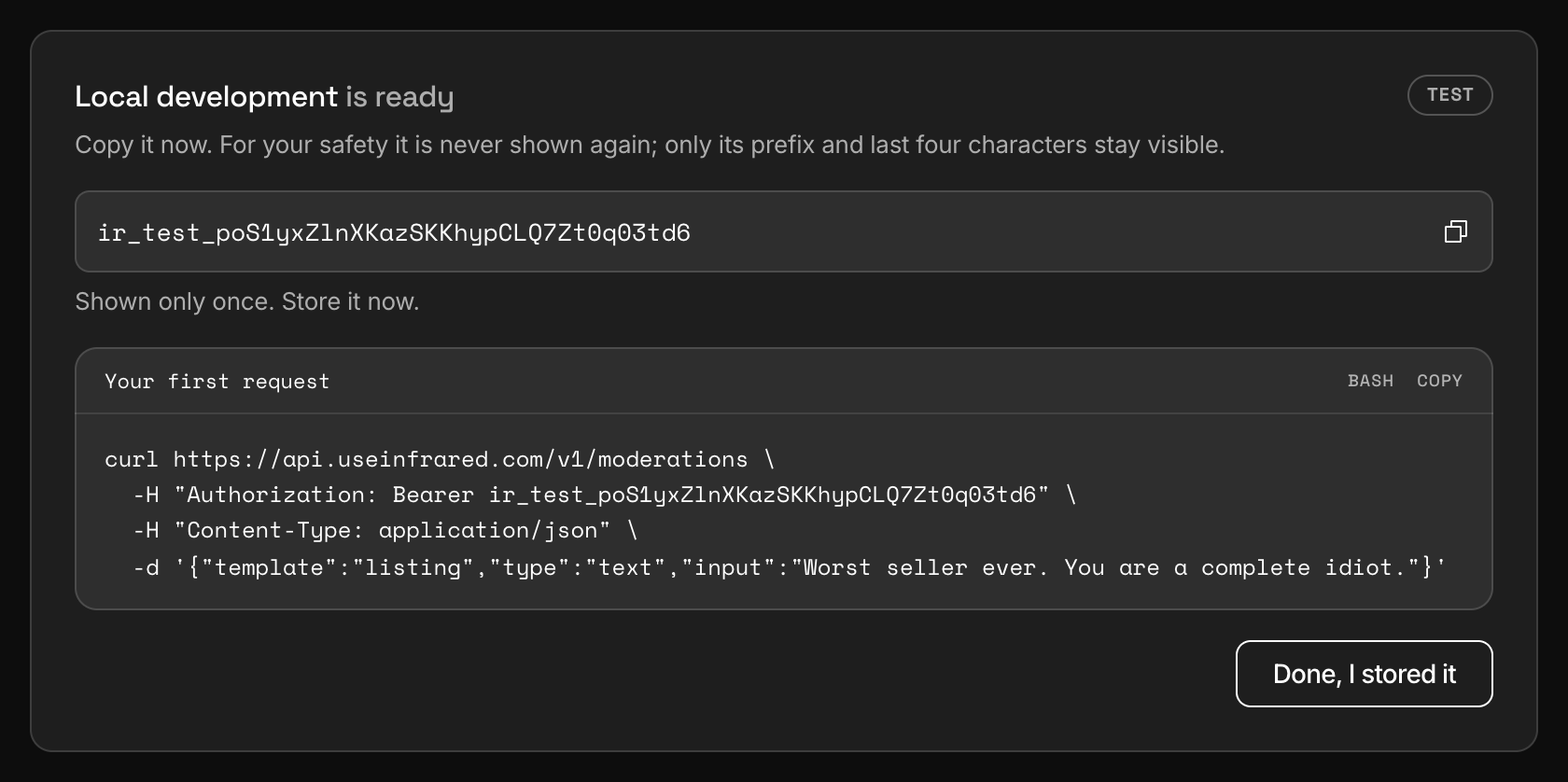
Infrared keeps a hash of the key, its first 12 characters and its last four. Nobody can show it to you again, so put it in your secret manager or an environment variable before you close the panel.
export INFRARED_KEY="ir_test_..."Send the key
Send the key as a bearer token in the Authorization header of every request.
curl https://api.useinfrared.com/v1/usage \
  -H "Authorization: Bearer $INFRARED_KEY"
const response = await fetch("https://api.useinfrared.com/v1/usage", {
headers: { Authorization: `Bearer ${process.env.INFRARED_KEY}` },
});
const usage = await response.json();import os
import requests
response = requests.get(
"https://api.useinfrared.com/v1/usage",
headers={"Authorization": f"Bearer {os.environ['INFRARED_KEY']}"},
)
usage = response.json()A key starts with ir_live_ or ir_test_, followed by 32 letters and digits. A request without the header answers 401 missing_api_key. A key that is malformed, unknown, revoked or expired answers 401 invalid_api_key:
{
  "error": {
    "code": "invalid_api_key",
    "message": "The API key is not valid",
    "details": [],
    "request_id": "req_a7ac1c4fbdd4408aa520107e954b3bf6"
  }
}Scopes
A scope is a group of endpoints a key may call.
| Scope | Lets the key |
|---|---|
moderate | Create moderations, alone or in a batch, re-moderate one, and run a template test. |
read | Call every GET endpoint: moderations, templates, policies, authors, the queue, actions, guidelines, wordlists, webhooks and usage. |
write | Change things: authors, queue decisions, actions, guidelines, wordlists and webhook endpoints. |
A request outside the key's scopes answers 403 insufficient_scope, and the message names the scope that is missing.
Two things to know before you narrow a key:
- Reading a moderation back needs
read. A key withmoderatealone can start an asynchronous moderation and cannot fetch its result. writedoes not edit templates. The API lists, reads and tests templates. You change them in the dashboard.
Live and test keys
Both kinds authenticate the same way, against the same project, under the same rate limit. The environment changes how a moderation request is treated: a test key uses no checks, its usage is counted apart and it leaves author history alone.
A test key is not a sandbox. It reads and writes the same project data as a live key, and its moderations still reach the review queue and your webhooks. Test mode has the full list.
How many keys
| Limit | Free | Starter | Growth | Business |
|---|---|---|---|---|
| API keys, per project | 1 | 5 | 20 | 100 |
| Requests a minute, per API key | 60 | 300 | 600 | 1,500 |
The limit is per project and counts live and test keys together. Revoked keys do not count. An expired key does, until you revoke it.
The Free plan has one key in total, so it holds a test key or a live key, never both at once.
Revoke and rotate
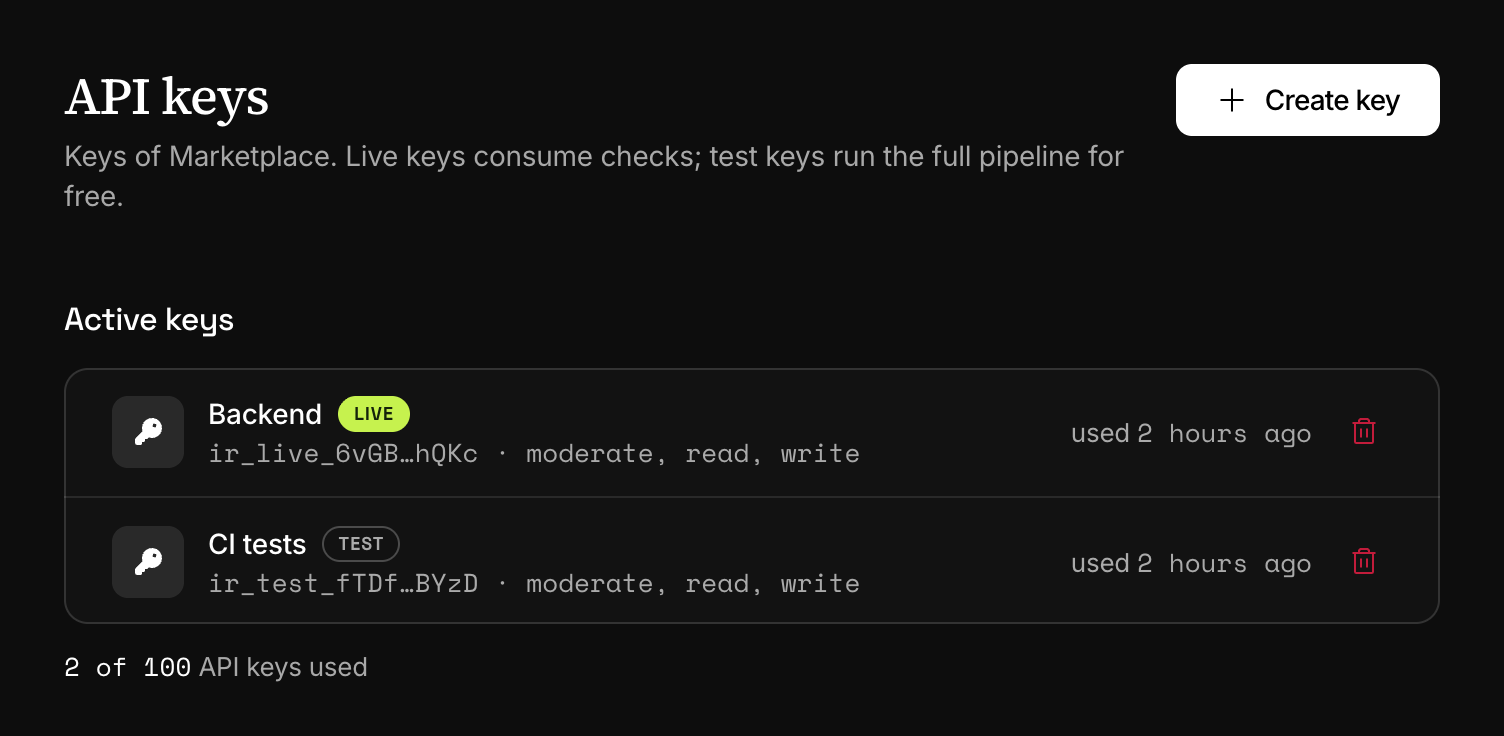
The list shows each key's name, its environment, its first and last characters, its scopes, when it was last used and when it expires. Last use is updated at most once a minute.
Revoke takes effect at once and cannot be undone: the next request signed with that key answers 401. To rotate a key, create a new one, deploy it, then revoke the old one. Where the plan allows a single key, you have to revoke first and create second, so expect failed calls in between.
A key is also revoked when its project is archived.
Who can manage keys
Owners, Admins, Project admins and Developers can create and revoke the keys of a project. Moderators cannot. Both actions are written to the audit log with the member who did them.
Next
- Test modeA test key runs the whole pipeline and uses no checks. It is not a sandbox: its moderations still reach the review queue and your webhooks.
- AuthenticationSend an API key as a bearer token on every request. The key names the project, its scopes decide which endpoints it may call, and a bad key answers 401.
- Rate limitsEach API key may send a set number of requests a minute, by plan. Every response says where the key stands, and a 429 says how long to wait.
- Going liveWhat to settle before production traffic depends on Infrared, from keys and retries to the review queue. Each item links to the page behind it.
Something missing or unclear on this page? Write to support@useinfrared.com.